On the Google Workspace Marketplace

Your bank transactions,
synced to your spreadsheet.

Stop downloading CSVs. Connect your bank directly to Google Sheets.
Free to try, no card 10,000 banks and credit unions Bank-level 256-bit encryption
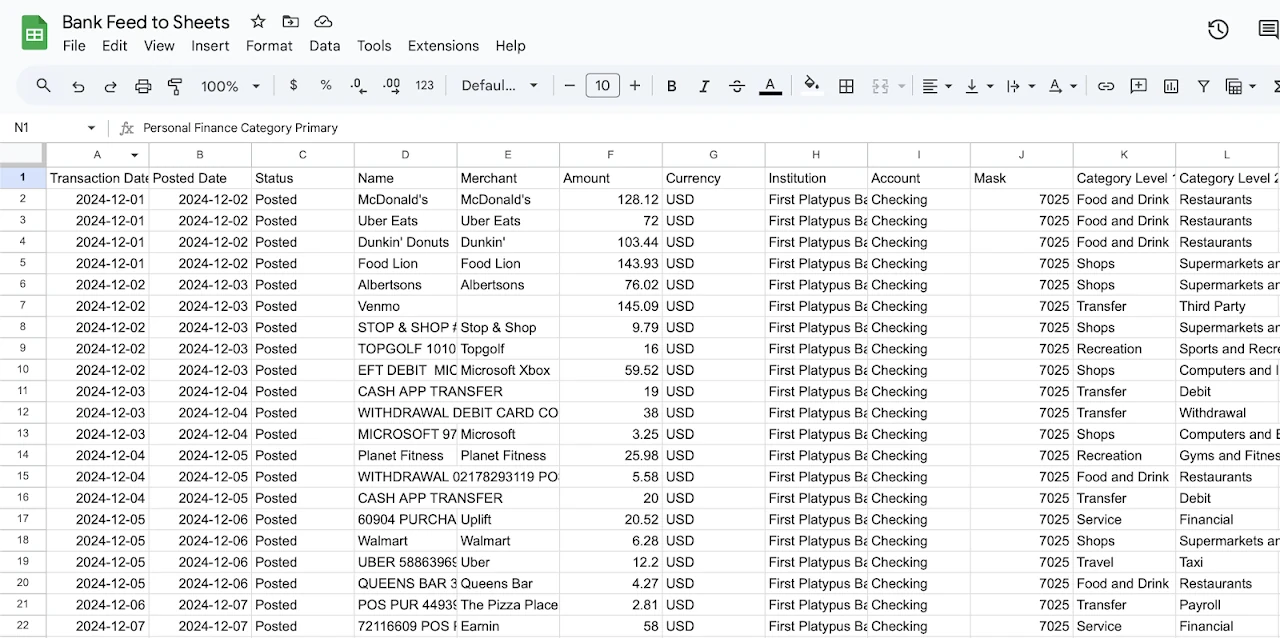
A Google Sheet titled Bank Feed to Sheets, filled with transaction rows: transaction date, posted date, status, name, merchant, amount, currency, institution, account, mask and category columns.
One tab. One row per transaction.
How it works

Two minutes, start to finish.

No exports. No copy-paste.

1

Add it to Sheets

One click from the Marketplace. It lives under Extensions, in every sheet you own.
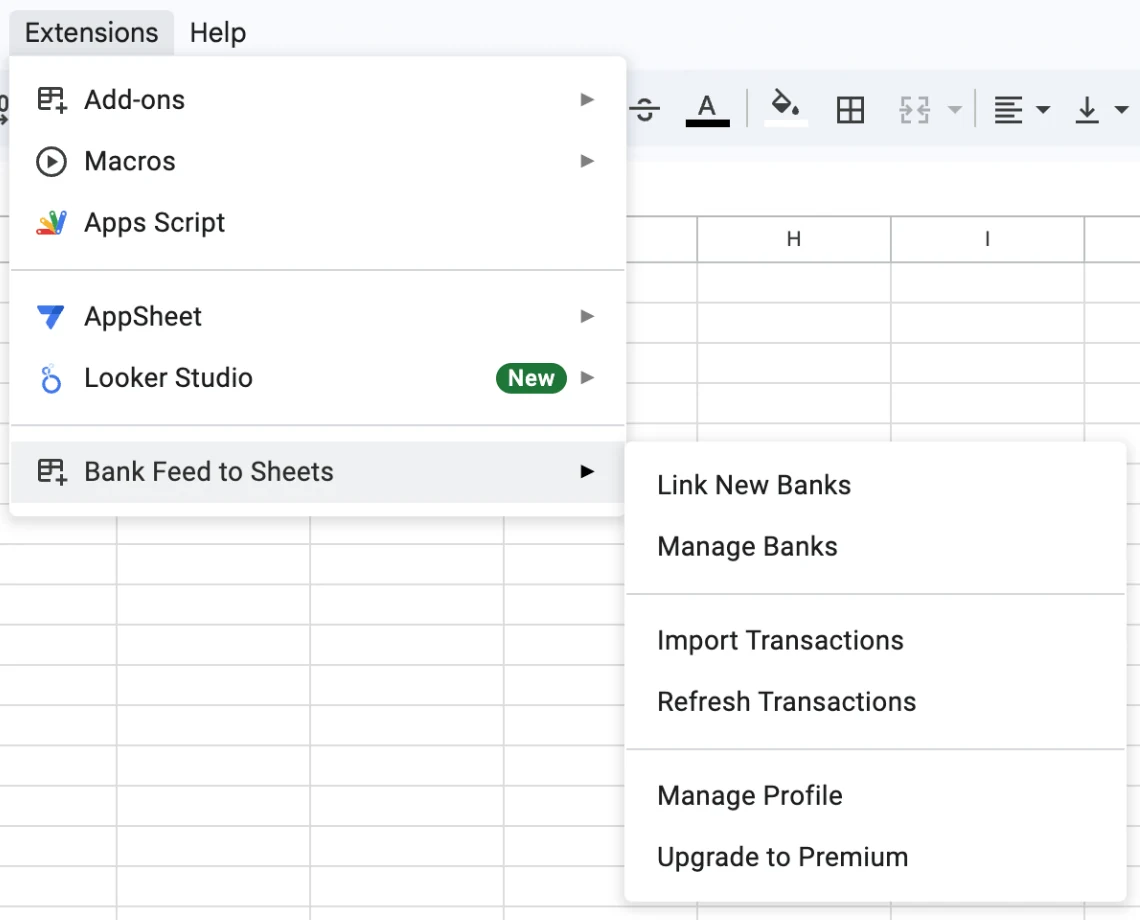
The Google Sheets Extensions menu open, showing Bank Feed to Sheets with Link New Banks, Manage Banks, Import Transactions and Refresh Transactions.
2

Connect your bank

Select from approximately 10,000 institutions in the US. Securely sign in with your bank.
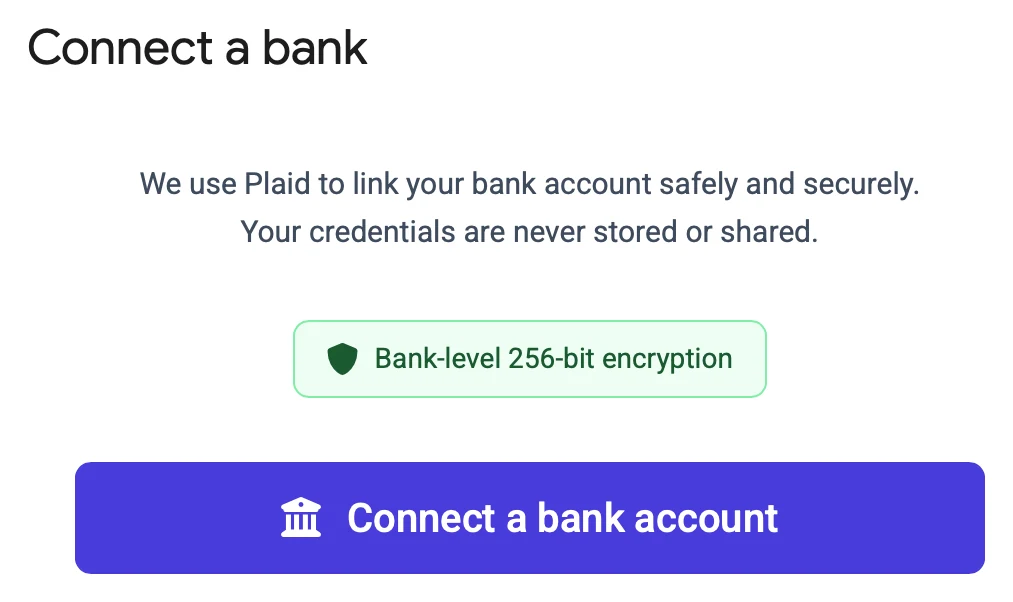
The Connect a bank dialog: we use Plaid to link your bank account safely and securely, your credentials are never stored or shared.
3

Import transactions

One click to create a connected Sheet with all of your transactions. One click to refresh, or enable auto refresh.
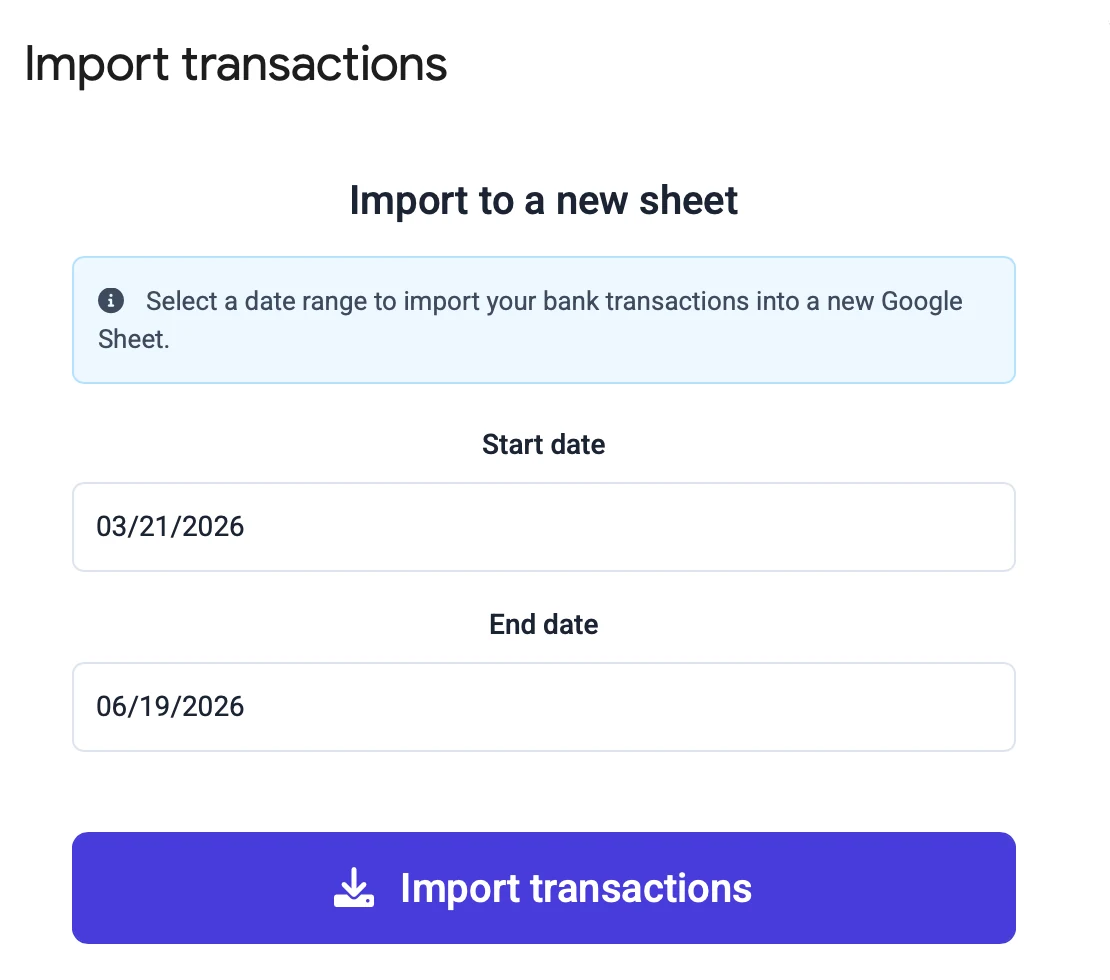
The Import transactions dialog with a start date, an end date, and an Import transactions button.
Why you'll love it

Real data in your spreadsheet.

Perfect for personal budgets, small business bookkeeping, or anyone who organizes their finances in a spreadsheet.

It just works.

Connect your bank, pick a date range, and two years of transactions appear in your sheet. One click to refresh, or enable auto refresh. No fiddling, no exports, no hassle.

It works with your bank.

Approximately 10,000 institutions in the US. Checking accounts, savings and credit cards, with current balances for every one of them.

It stays out of your way.

No cluttered dashboards. No locked templates. No feature bloat. Build the budget tracker, expense report or cash flow view that makes sense to you.

Live demo

Have a look around.

A real sheet, just as the add-on writes it. Take it for a test drive.

Open it in Google Sheets

Pricing

Affordable plans. One yearly price.

Try it free with one bank. Upgrade when you want more.

Try it free

One bank
$0
no credit card
  • One bank, every account under it
  • Two years of history
  • Account balances
  • No continuous sync

Standard

Households and small businesses
$39 /yr
about $0.65 per bank per month
  • Five banks, every account under them
  • Two years of history
  • Account balances
  • Continuous sync
  • Hourly auto refresh

Billed yearly. Cancel anytime and it runs to the end of your term. More than five banks? Talk to us.

Security

Read-only. Always.

Plain text into a spreadsheet. Simple by design, and safer for it.

Questions

The things people ask first.

Will it work with my bank?
Almost certainly. Approximately 10,000 banks and credit unions across the US and Canada, big names and small local ones alike. Checking, savings and credit cards all work.
Will it mess up the budget I already built?
No. Transactions go into their own tab. Every other sheet, formula and chart stays untouched.
Do I have to remember to update it?
Only if you want to. There is a refresh button, and an hourly option that does it for you.
Can it move my money?
No. It reads transactions and balances. It cannot move, send or spend anything.
Where does my data actually live?
On Google Cloud under your account, and in the spreadsheet you own. Disconnect a bank and we delete what we held for it. The Privacy Policy has the specifics.
What if I cancel?
Every row already in your spreadsheet stays. It is your file. Your plan runs to the end of the period you paid for, then stops renewing.
Something broke. Who do I talk to?
A person. Email support@bankfeedtosheets.com or use the contact page. You get a real reply, not a ticket number.

Your spreadsheet is waiting.

Two minutes to set up. Start building today.

Add to Sheets, free

One bank, free. No credit card.